How to Export Klaviyo Data to Google Sheets (3 Ways)
There are three practical ways to get your Klaviyo campaigns, flows and profiles into Google Sheets: manual CSV export, writing your own script against the Klaviyo API, or a Sheets add-on that syncs for you. Here is how each works — and when it makes sense.
Method 1: Manual CSV export from Klaviyo
Klaviyo can export most data as CSV files from its own UI. The typical workflow:
- Profiles / lists: in Klaviyo open Audience → Lists & segments, select a list, then use the export option to download a CSV.
- Campaign analytics: open Analytics → Reports, configure a report and export it.
- In Google Sheets, use File → Import → Upload and pick the CSV.
- Re-map columns, fix number/date formats, and repoint any formulas that referenced the old data.
Where it hurts
The export is a snapshot. Next week you download another CSV, re-import, and re-fix formats — every metric you track means repeating the loop. There is also no way to push edits from your sheet back into Klaviyo except through a separate CSV import wizard. If this loop is your Monday morning, see our CSV export alternative guide.
Good for: a genuine one-off — a single list migration or an ad-hoc audit.
Method 2: Klaviyo API + Google Apps Script
Google Sheets ships with Apps Script, so you can call the Klaviyo REST API yourself with UrlFetchApp and write rows into the sheet. In outline:
- Create a Private API key in Klaviyo (Settings → Account → API keys) with read scopes for campaigns, flows, metrics, lists and profiles.
- In your sheet, open Extensions → Apps Script and write fetch code against endpoints like
/api/campaignsand/api/profiles. - Handle cursor-based pagination for large profile lists.
- Handle rate limits — Klaviyo's reporting endpoints are heavily throttled, so your script needs retry/backoff logic or it will fail mid-run.
- Add a time-driven trigger if you want scheduled refreshes.
Good for: developers who want full control and are happy to maintain the script when the API changes.
Where it hurts: pagination, rate-limit backoff, schema changes and execution-time limits are all yours to debug — usually a few hours to build and an ongoing tax to maintain.
Method 3: A Google Sheets add-on (SheetPort)
SheetPort for Klaviyo packages method 2 into a sidebar, with pagination, chunking and rate-limit handling built in:
- Install the add-on from the Google Workspace™ Marketplace (free).
- Open Extensions → SheetPort for Klaviyo → Open and paste a scoped Private API key.
- Tick campaign reports, flow reports and/or profiles, then hit Sync now. Each dataset lands in its own tab; 10,000+ profile lists sync in chunks and resume if interrupted.
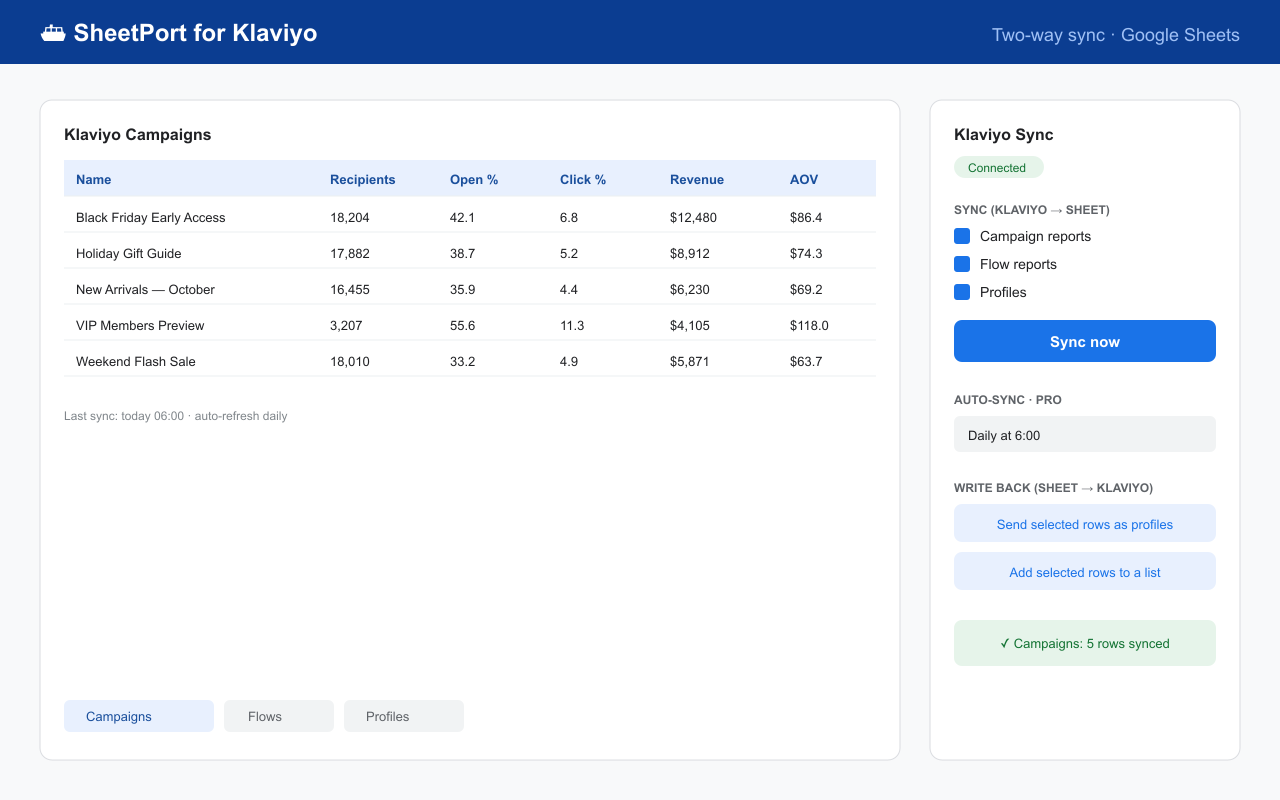
On the Pro plan the export refreshes itself daily or hourly, and works in reverse too — edit rows in Sheets and push them back to Klaviyo. Setup details in the docs.
Side-by-side comparison
| Manual CSV | API + Apps Script | SheetPort add-on | |
|---|---|---|---|
| Time to first data | ~10 min per export | Hours to days | ~30 seconds |
| Stays up to date | No | If you build triggers | Yes — scheduled (Pro) |
| Large profile lists | OK (single file) | You handle pagination | Automatic chunking & resume |
| Write back to Klaviyo | CSV import wizard only | If you build it | Yes (Pro) |
| Cost | Your hours | Your hours | Free / $19 per month |
Google Workspace™ Marketplace · Free plan · No credit card required
SheetPort is an independent product and is not affiliated with or endorsed by Klaviyo. Klaviyo is a trademark of Klaviyo, Inc. Questions: [email protected]